


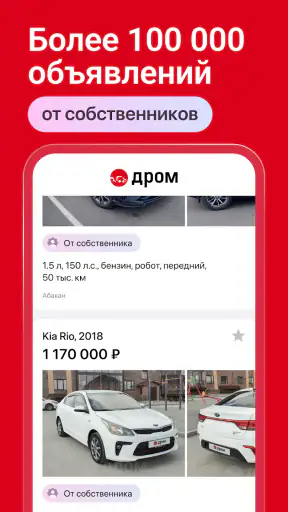
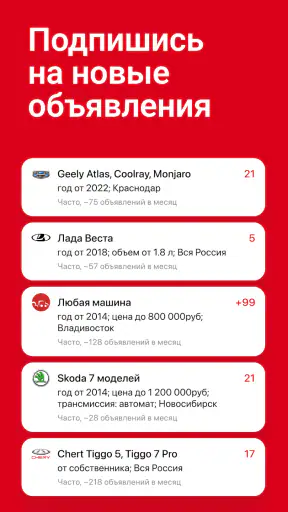
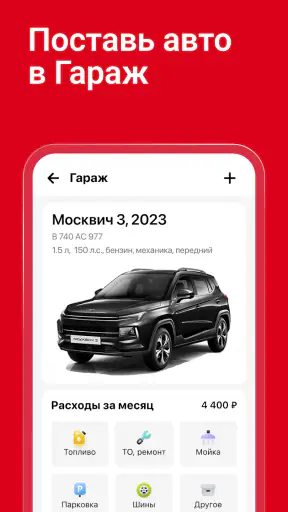
Buying a car through a mobile app can feel overwhelming, especially when you are looking at unfamiliar sellers, different regions, and listings that vary wildly in detail. I found Дром Авто most useful when I treated it less like a casual browsing tool and more like a practical workspace for narrowing down a real purchase. It is a free car marketplace app from Дром, aimed at people searching across Russia, with vehicle listings and a VIN-checking function gathered in one place.
My first impression was that the app is built for serious searching rather than simply showing a few attractive cars. Its audience is broad: someone replacing an old family vehicle, a buyer comparing prices in several cities, or a driver checking a used car before spending time on a viewing. The app is rated 4.9 on average and has passed 10 million installs, which gives it a strong presence among mobile tools for finding vehicles. Still, popularity does not remove the need for careful checking. The app can help organize your search, but it cannot turn a questionable listing into a safe purchase.
From installation to a useful car search
What to expect when you open it
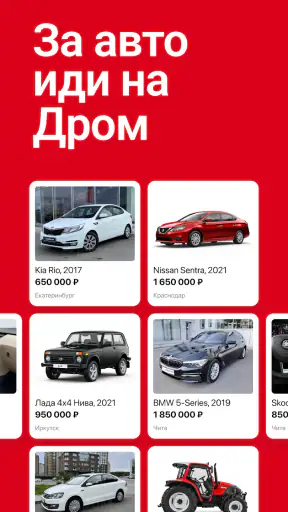
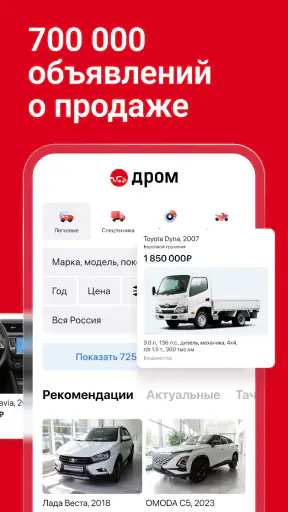
Дром Авто presents a large pool of current advertisements rather than a narrow selection designed only for beginners. The store summary describes over 700,000 current ads across Russia, so the main challenge is not finding cars; it is reducing the results to vehicles that make sense for your budget, location, and intended use. I recommend deciding those limits before searching. Otherwise, it is easy to spend time opening attractive listings that are too far away or unsuitable for your needs.
The app belongs in the Auto & Vehicles category, and that focus is clear in the way I used it. It is not a general social network, a driving game, or a simple directory of dealerships. The useful mindset is to see each result as a lead that needs verification. Photos and a convenient price can start the process, but the meaningful decision comes from comparing several similar vehicles and checking the details that matter to ownership.
Because the app covers such a wide market, the quality of listings can differ. Some advertisements may give you enough information to form a sensible shortlist, while others may leave important questions for a call or a personal inspection. I would not judge a car from its first image or from the headline alone. The app works best when you use it to build a structured shortlist, not when you expect it to make the buying decision for you.
Setting up a search without getting lost
For a first search, I would begin with the vehicle type and the practical limits that cannot change. Think about the body style you actually need, the maximum amount you can spend, and how far you are willing to travel. Only after those choices are clear would I start adjusting less important preferences. This prevents the common mistake of filtering so narrowly that useful alternatives disappear before you have compared them.
A helpful workflow is to search broadly once, notice which details appear repeatedly in suitable listings, and then refine the search. For example, if several realistic options share a certain engine size, transmission type, or production period, you can use that pattern to make the next search more focused. I prefer this approach to entering every preference immediately because it shows what the local market actually offers.
Location deserves special attention. A low-priced car in another part of Russia may stop being a bargain after travel, inspection, transport, and time are considered. I would compare cars in the same area first, then expand the search only when the difference is large enough to justify the extra work. This is one of the app’s biggest strengths and one of its biggest traps: a nationwide pool gives you choice, but it also makes distant listings look easier to buy than they really are.
The app is free, and its content rating is Everyone, so it is easy to recommend as a starting point for a household car search. The current version is 7.47.0, and it requires Android 8.0 or later. On a compatible phone, installation should be a straightforward first step, but I would still keep the app updated before relying on it for an active search. A marketplace changes constantly, and an older build is not the version I would choose for important browsing.
Your first meaningful success: creating a shortlist
The first useful result is not finding one exciting advertisement. It is creating a shortlist that you can compare without reopening the same pages from memory. I would choose several vehicles that meet the basic requirements, then record the details that affect the real cost: location, mileage, ownership history as described by the seller, visible damage, maintenance comments, and anything that seems unusually vague.
This is where the app becomes more valuable than a simple classified page. A search can expose patterns. If multiple similar cars are listed at noticeably different prices, that difference gives you questions to ask. Perhaps one is farther away, perhaps its condition is less clear, or perhaps the seller has included more information. I do not automatically assume that the cheapest result is best. A listing with clearer details can save time even when its asking price is not the lowest.
My practical tip is to read the entire advertisement before contacting the seller. Look for contradictions between the headline, description, photographs, and technical details. If the text says one thing while the images suggest another, mark the listing for clarification rather than trying to explain the inconsistency yourself. This small habit makes phone calls more productive and helps separate genuine possibilities from listings that only look good in a quick scroll.
Another useful step is to contact sellers with the same short set of questions. Ask about ownership, recent repairs, known faults, document availability, and whether the car is still for sale. Using the same questions creates a fairer comparison. It also reveals how directly a seller answers. The app can put you in front of many advertisements, but your conversation with the seller remains an essential part of the evaluation.
Using the VIN check at the right moment
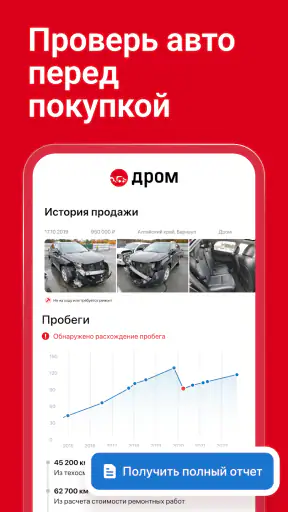
One of the more important tools in Дром Авто is the ability to check a car by its VIN code. I would use this after a listing has passed the first filter, not on every vehicle that appears in a broad search. That keeps the process manageable and focuses your attention on cars you might genuinely inspect or buy.
The VIN should be treated as a verification step, not as a replacement for an inspection. A check can help you investigate a vehicle’s identity and history-related information available through the app, but it does not remove the need to compare the VIN with the car and its documents. If the seller refuses to provide the code or the information does not align with the advertisement, I would pause the deal rather than trying to rationalize the mismatch.
A non-obvious advantage of checking before traveling is that it can prevent wasted journeys. Buyers often concentrate on the asking price and forget that a viewing may require a full day, transport costs, or time away from work. Running the VIN check while the car is still only a candidate lets you eliminate some questionable options earlier. I would still repeat the identity check in person, because the app is a research aid rather than a guarantee of the vehicle’s present condition.
Where first-time users may become confused
The large number of advertisements can make the app feel more complicated than it is. The main confusion is usually not how to search, but how much confidence to place in each result. A listing is written from the seller’s perspective, and even a detailed description may not answer the questions that matter most to you. I recommend separating three things in your mind: what the advertisement claims, what the VIN check shows, and what you personally verify.
Another common issue is comparing cars that are not truly comparable. Two vehicles can share a model name while differing in age, equipment, mileage, region, and apparent condition. If you compare only prices, the result will be misleading. I would group listings by similar age and condition first, then use the app to identify which ones deserve a closer look. This makes the marketplace less noisy and gives you a more realistic sense of value.
Photos can also encourage premature decisions. A clean exterior photographed in good light says little about cold starts, suspension noise, interior wear, or previous repairs. I use photographs to generate questions, not to answer them. If a key area is not shown, I ask for a clear image before arranging a visit. That is especially useful when the listing is far from home and a wasted trip would be expensive.
The app is not the right choice for someone who wants a completely managed purchase with inspection, negotiation, paperwork, and delivery handled by one service. It is also less suitable if you dislike comparing listings or contacting sellers yourself. In those cases, a dealership process or a specialized inspection service may feel easier, even if it offers less breadth. Дром Авто is strongest for an independent buyer who wants access to many options and is willing to do the checking.
A realistic everyday scenario
Imagine that I need a used car for commuting and occasional family trips. I would first search near my area with a firm spending ceiling, then broaden the distance only if the local results were unsuitable. After scanning several advertisements, I would keep a small group with consistent descriptions and enough photographs to raise specific questions. I would contact those sellers using the same checklist instead of negotiating immediately with the first person who replies.
For the most promising cars, I would request the VIN and run the app’s check before arranging a viewing. If the result or the seller’s answers created a concern, I would remove that vehicle from the shortlist. For the remaining options, I would arrange viewings close enough together to compare them while the details were fresh. At each viewing, I would match the VIN to the vehicle and documents, inspect the condition, and arrange an independent mechanical inspection before committing.
This workflow shows what the app can and cannot do. It can reduce a huge market to a manageable group, help you investigate a vehicle earlier, and make conversations more focused. It cannot inspect mechanical components, confirm every seller statement, or decide whether a repair bill fits your budget. The best result comes from combining the app with patience and an in-person check.
How it compares with ordinary alternatives
Compared with searching through scattered classified advertisements, Дром Авто feels more useful when you are comparing many cars across regions. Having the marketplace and VIN-related checking in the same app reduces the need to jump between unrelated tools during the early stages. That makes it particularly convenient for buyers who are still learning what a reasonable shortlist looks like.
Compared with a dealership website, it gives me a wider view of the private and commercial market rather than presenting one seller’s inventory. That wider view can improve price awareness, but it also puts more responsibility on the buyer. A dealership may offer a more guided experience, while this app gives you more independence and more variation in listing quality.
Compared with a specialist inspection service, the app is better for discovery and initial research, not for final mechanical judgment. I would use Дром Авто to find and screen candidates, then rely on an independent professional for the inspection if the purchase is serious. Using each option for its proper role is safer than expecting one app to cover the entire transaction.
Small habits that make the search more efficient
I would avoid changing many filters at once. If the results suddenly become too narrow, you will not know which choice caused the problem. Change one important condition, such as distance or vehicle age, and observe how the shortlist changes. This makes it easier to understand the market instead of fighting the search interface.
I would also keep a simple comparison note outside the app. Include the listing location, seller answers, VIN-check result, planned inspection cost, and any unresolved concern. This is especially valuable when several cars look similar. Memory tends to preserve the attractive photograph and forget the warning mentioned in the description.
Finally, I would treat urgency as a warning sign. A seller who pressures you to transfer money before you have verified the car is not made safer by appearing in a reputable marketplace. Keep communication focused on facts, do not skip the identity check, and do not let a limited-looking opportunity replace normal caution. The app gives you access to many alternatives, so there is rarely a good reason to ignore a serious inconsistency.
My recommendation for a first-time buyer
Дром Авто is a strong starting point if you want to search for a vehicle independently and need a broad selection rather than a small curated catalog. I especially like the combination of nationwide listings and VIN checking because it supports a sensible progression: discover, compare, investigate, then inspect. The free price also makes it easy to try before deciding whether it fits your buying habits.
My reservation is that the app can make the search look simpler than the purchase really is. The interface may help you find a promising car, but the final responsibility still sits with you. If you are comfortable asking direct questions, comparing imperfect listings, and arranging an inspection, the app can save time and give you a much clearer market view. If you want someone else to manage the whole process, choose a more guided alternative.
For me, the best next step after installation is clear: do not browse aimlessly. Set a realistic search area, build a comparison shortlist, use the VIN check on serious candidates, and only then plan a viewing. Used carefully, Дром Авто is more than a stream of car advertisements; it is a practical first stage in a careful buying process.
It is free to use, suitable for Everyone, and developed by Дром. With its current Android compatibility beginning at version 8.0 and its 7.47.0 release, it is accessible to many users looking for a focused vehicle search app. I would recommend it to independent buyers who want choice and are prepared to verify what they see. The app can get you to the right candidates, but your best protection remains a disciplined comparison, a matching VIN, and a proper inspection before any final decision.


